

Office No.104, Sahakar Niwas, Plot No.160/161, Rd no.2, Jawahar Nagar, Goregaon(West), Mumbai-400062
Office No.104, Sahakar Niwas, Plot No.160/161, Rd no.2, Jawahar Nagar, Goregaon(West), Mumbai-400062
Artificial intelligence is changing how businesses process information, develop products, serve customers, and make decisions. From generative AI applications and machine learning to advanced analytics and large language models, modern AI workloads require substantial computing power. As organisations deploy more GPU servers and high-performance computing infrastructure, their data centres face increasing demands for electricity, cooling, and reliable power distribution.
However, supplying electricity to an AI data centre is not simply about installing a larger electrical connection. Businesses must also ensure that critical equipment receives stable, uninterrupted power during outages, voltage fluctuations, electrical disturbances, and transitions between power sources. Even a brief interruption can disrupt computing jobs, affect services, and create operational and financial challenges.
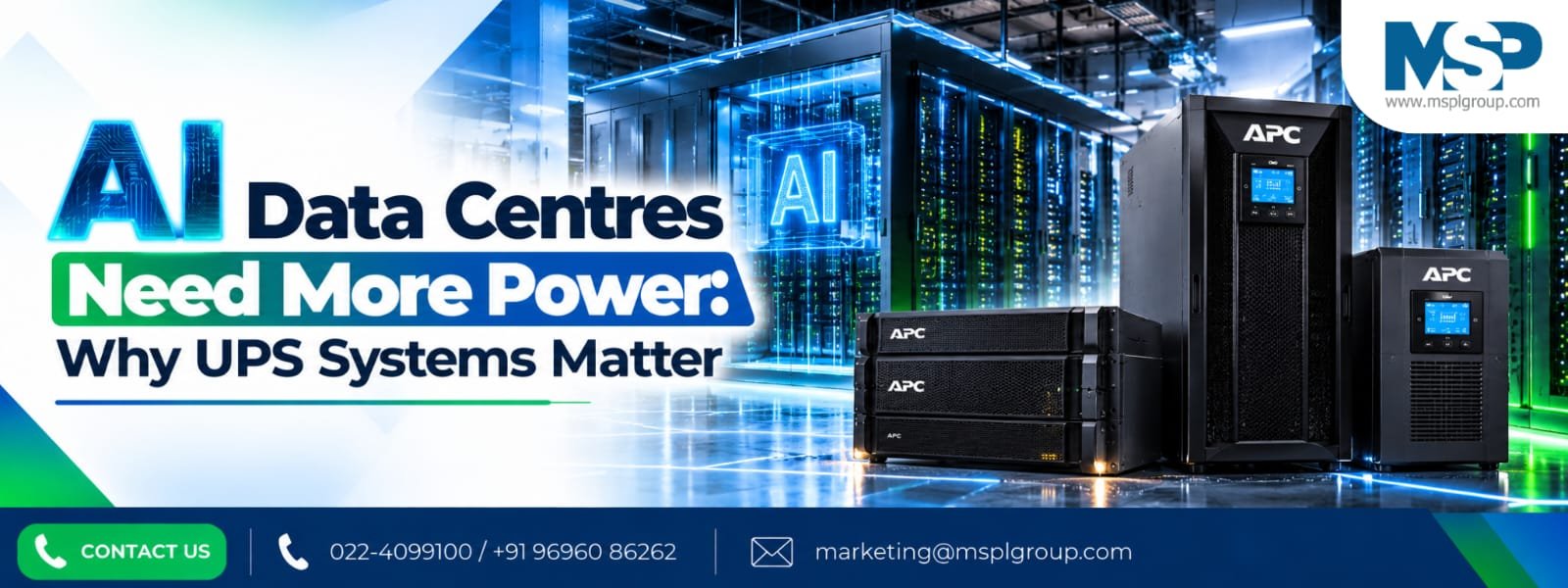
This is where an appropriately designed uninterruptible power supply (UPS) system becomes essential. A UPS provides immediate backup power when the normal supply fails and helps protect sensitive electronic equipment from certain power-quality problems. Combined with suitable batteries, power distribution, cooling, monitoring, and backup generation, it forms an important part of a resilient data centre power architecture.
MSPL Group helps businesses evaluate UPS requirements and identify suitable power backup solutions for critical infrastructure. As AI workloads continue to grow, understanding the relationship between computing density, electrical capacity, and UPS performance is becoming increasingly important for data centre operators across India.
Traditional data centres support a wide range of workloads, including enterprise applications, databases, websites, cloud platforms, and business software. AI data centres add another demanding category: large-scale computation using GPUs and other specialised accelerators.
Training AI models can involve thousands of parallel calculations running across multiple processors. Inference workloads also require dependable computing capacity to respond to user requests, analyse information, and generate results.These workloads can increase electricity demand at both the individual rack and facility levels. The exact requirement depends on server configuration, processor selection, utilisation, networking, storage, and cooling efficiency.
For businesses, rising power demand creates three important challenges:
Planning for these factors helps data centre operators avoid capacity constraints and reduce the risk of unexpected downtime.
AI infrastructure differs from conventional server environments because accelerator-intensive workloads can concentrate substantial power demand within individual racks.High-performance GPUs, CPUs, memory, networking equipment, and storage systems all contribute to the overall electrical load. Some AI workloads also experience significant changes in power consumption depending on processing activity.
Consequently, data centre operators need to assess more than the average electricity requirement. They must understand peak demand, workload behaviour, rack-level distribution, and the consequences of a sudden power interruption.
AI data centre power planning should consider:
An integrated assessment helps businesses select infrastructure that supports AI workloads without unnecessary oversizing.
GPU server racks can concentrate significant computing capacity in a relatively small physical area. This makes power delivery and distribution especially important.When a rack experiences a supply interruption, multiple interconnected servers and networking devices may be affected simultaneously. An interruption can stop AI processing, interrupt inference services, and require workloads to restart or recover.
A properly selected UPS system helps bridge the gap between a power failure and the restoration of a stable supply or transfer to a generator. It can also help condition the power supplied to sensitive IT equipment, depending on its topology and specifications.
For high-density GPU racks, businesses should evaluate:
The best UPS solution is not necessarily the largest available model. It is the system that meets the real load, operating conditions, resilience targets, and expansion plans of the facility.
An uninterruptible power supply is a power protection system that supplies connected equipment when the normal electrical source becomes unavailable or unsuitable.Depending on its design, a UPS can provide battery-backed power, regulate or condition the electrical supply, and manage the transition between incoming power and stored energy.
For AI data centres, the main functions of a UPS include:
Power continuity: Batteries supply energy during a utility interruption, subject to the UPS design and available battery capacity.
Power-quality protection: Appropriate UPS topologies help protect equipment from specified voltage disturbances, frequency variations, and other electrical irregularities.
Controlled transition: The UPS supports the critical load while the facility's backup power arrangement responds.
Equipment protection: A suitable power architecture reduces exposure to certain power-related interruptions and supports orderly recovery.
A UPS does not replace a generator, cooling system, or comprehensive data centre resilience plan. Its effectiveness depends on correct sizing, installation, maintenance, battery condition, and coordination with the rest of the electrical infrastructure.
Online double-conversion UPS systems are commonly considered for critical IT environments because they continuously convert incoming AC power to DC and then generate a regulated AC output for connected equipment.This operating arrangement helps isolate the load from many disturbances in the incoming supply. When utility power fails, the UPS battery supports the DC bus, allowing the inverter to continue supplying the load without the typical transfer delay associated with standby or line-interactive designs.
The main benefits can include:
However, selection should also consider conversion losses, thermal output, operating efficiency, maintenance access, and the required redundancy level. For demanding AI facilities, UPS topology should be evaluated as part of the complete power design rather than in isolation.
Data centre capacity can change quickly as organisations add GPU servers, expand storage, or deploy new AI applications. A UPS architecture that supports staged expansion may help businesses align investment with actual demand.Modular UPS systems use power modules within a shared architecture. Depending on the product, modules can be added or replaced to increase capacity or support redundancy.
Conventional monolithic UPS systems use a more integrated power-conversion arrangement. They may be suitable for facilities with stable loads, established capacity requirements, or specific budget and maintenance constraints.
| Feature | Modular UPS | Conventional UPS |
| Capacity expansion | Often supports staged module additions | May require a larger replacement or parallel expansion |
| Initial investment | Can align with phased demand | Can be attractive for a known, stable load |
| Redundancy | Depends on module count and system design | Depends on unit and parallel configuration |
| Maintenance | Some designs support module-level servicing | Service approach depends on the model |
| Best fit | Growing AI and high-density environments | Stable or clearly defined installations |
The right choice depends on the available product range, critical-load requirements, future growth, service strategy, and total cost of ownership.
UPS sizing is a critical part of AI data centre design. Choosing a unit based only on the advertised kVA rating can lead to an undersized solution if its available real-power capacity is insufficient.
kW measures real power, which represents the rate at which equipment consumes usable electrical power.
kVA measures apparent power, which reflects voltage and current in the AC system.
The relationship between them depends on the power factor. A UPS rated at 100 kVA, for example, may have a real-power rating of 100 kW or a lower value, depending on its specifications.
A practical sizing exercise should account for:
For illustration, if the critical load is 80 kW, a design must provide sufficient usable capacity after accounting for redundancy, growth, and applicable derating. The final UPS rating should be confirmed using manufacturer specifications and a qualified engineering assessment.
AI infrastructure can support business-critical applications where interruptions have significant consequences. Redundancy helps reduce the likelihood that a single equipment failure or maintenance event will interrupt the protected load.
The appropriate design depends on availability targets, acceptable risk, budget, and maintenance requirements.
| Architecture | Meaning | Consideration |
| N | Capacity required to support the critical load | A failure may reduce available capacity below requirements |
| N+1 | Required capacity plus one additional unit or module | Provides a degree of component redundancy |
| 2N | Two independent systems, each designed to support the full required load | Can offer stronger resilience when the entire architecture is appropriately independent |
Redundancy labels alone do not guarantee uptime. Shared switchgear, common battery systems, bypass arrangements, distribution faults, and human error can create common points of failure.A resilient design considers the entire path from utility input to the server power supply, including maintenance bypasses, protection coordination, and dual-corded equipment where appropriate.
The battery system determines how long the UPS can support the critical load during a power interruption. The required runtime depends on the time needed to restore utility power, start and stabilize a generator, transfer the load, or perform an orderly shutdown.
A larger battery bank does not automatically guarantee the expected runtime. Battery age, temperature, discharge rate, UPS efficiency, maintenance condition, and load profile all affect performance.Common battery technologies include valve-regulated lead-acid (VRLA) and lithium-ion batteries. Each has different capital costs, maintenance considerations, footprint requirements, expected service life, and operating characteristics.
Before choosing a battery system, assess:
Regular battery testing and condition monitoring can help identify deterioration before it affects backup performance.
AI servers consume electricity and release heat. As rack power density increases, cooling becomes an essential part of data centre power planning.Cooling equipment—including chillers, pumps, fans, and other thermal-management systems—also consumes electricity. A utility failure that interrupts cooling can create additional risks even if servers continue operating temporarily on UPS power.
Data centre operators should identify which cooling and control systems need emergency power, how long they must remain operational, and how they interact with generator capacity.
A coordinated plan should examine:
Not every cooling component necessarily needs the same UPS runtime as the IT load. The correct approach depends on the facility design and the time required for backup generation and cooling recovery.
Downtime can affect customer services, AI application availability, data processing, model training, and internal business operations. The impact varies by workload and recovery architecture.A UPS reduces the risk associated with certain power interruptions by providing a bridge during outages and supporting power quality within its design limits.
To strengthen downtime prevention, operators should combine UPS protection with:
For example, a company operating an AI inference service may use redundant power paths and UPS-backed networking equipment to reduce the risk of a power event disrupting customer requests. A model-training facility may also use checkpointing and recovery procedures to reduce the amount of work lost if a longer outage occurs.UPS protection is one layer of resilience, not a guarantee that every failure scenario can be avoided.
Modern UPS solutions may offer remote monitoring, event logs, alarms, battery diagnostics, and integration with building or data centre management platforms.These capabilities help operations teams identify developing issues, review operating conditions, and plan service before a fault causes an interruption.
Useful monitoring points include:
Predictive maintenance can combine equipment telemetry with service history and periodic inspections to prioritise maintenance activities. Monitoring does not eliminate the need for physical inspection, functional testing, or manufacturer-recommended servicing.For facilities expanding their AI infrastructure, centralised visibility can also help teams identify capacity constraints before adding new racks.
Electricity is a major operating expense for many data centres. UPS conversion losses add to the energy required to operate the facility, while those losses also produce heat that may need to be removed by the cooling system.
Consider a simplified illustration. If a UPS delivers 100 kW of useful output at 96% efficiency, its input power is approximately 104.17 kW. The conversion loss is about 4.17 kW.If this load and efficiency remain constant for 8,760 hours, the UPS conversion losses amount to approximately 36,500 kWh annually. Actual consumption varies with load, efficiency curves, operating modes, redundancy, and environmental conditions.
Businesses can improve energy performance by evaluating:
Energy savings should be calculated using the actual tariff, operating profile, and manufacturer efficiency data rather than a single headline efficiency figure.
Different organisations use AI infrastructure in different ways. Their UPS requirements should reflect workload criticality, load size, growth expectations, and acceptable interruption risk.
| Application | Power challenge | UPS planning priority |
| AI model training | Large-scale, accelerator-intensive computing | Capacity, redundancy, and recovery planning |
| AI inference services | Continuous demand for application availability | Power continuity and resilient distribution |
| Enterprise AI platforms | Shared IT services and business applications | Appropriate runtime and maintenance planning |
| Research and HPC facilities | Computationally intensive workloads | Load assessment and workload recovery |
| Edge AI deployments | Limited space and remote-site support | Compact design, monitoring, and service access |
| Cloud and colocation facilities | Mixed customer loads and expansion needs | Scalable capacity and defined availability targets |
A detailed assessment can help determine whether a centralised, distributed, modular, or hybrid UPS architecture is most appropriate for each installation.
A UPS system involves more than the initial equipment purchase. Businesses should evaluate installation, batteries, maintenance, energy losses, future expansion, and the financial impact of downtime.A basic ROI model compares the expected benefits of improved power protection against the investment and ongoing costs.
For example, assume a facility experiences two power-related incidents annually. If each incident creates an estimated total business impact of ₹5 lakh, the annual impact is ₹10 lakh.If a proposed UPS and resilience upgrade reduces the expected annual impact by 60%, the estimated annual benefit is ₹6 lakh.
If the upgrade costs ₹18 lakh, the simple payback period would be:
₹18 lakh ÷ ₹6 lakh = 3 years.
This is an illustrative scenario, not a performance guarantee. Actual results depend on incident frequency, outage duration, the effectiveness of the proposed solution, and the financial consequences of downtime.
A more complete analysis should include:
A properly evaluated UPS investment can support business continuity while making long-term infrastructure costs more predictable.
As AI workloads expand, businesses may make infrastructure decisions based on current demand alone or on equipment ratings without a complete load assessment.
Common mistakes include:
Avoiding these mistakes starts with a site assessment, a clear availability target, verified equipment specifications, and a documented power architecture.
Selecting a UPS for AI infrastructure requires an understanding of the site's electrical supply, critical load, growth plans, and operating environment.
A practical selection process includes:
Step 1: Assess the load. Calculate the critical IT demand and distinguish it from non-critical facility loads.
Step 2: Define the availability requirement. Determine the consequences of downtime and the required level of redundancy.
Step 3: Establish runtime needs. Coordinate battery autonomy with generator response, operational procedures, and shutdown requirements.
Step 4: Compare suitable UPS technologies. Review online double-conversion, modular, and other appropriate configurations.
Step 5: Evaluate lifecycle costs. Include efficiency, maintenance, batteries, service support, and future capacity changes.
Step 6: Plan installation and maintenance. Confirm electrical compatibility, environmental requirements, commissioning, and ongoing service.
MSPL Group can help businesses explore suitable UPS options, evaluate critical power requirements, and plan power backup solutions according to their operational needs. Final equipment selection should be based on a site-specific engineering assessment and verified manufacturer specifications.
AI data centres need a power strategy that supports current workloads while allowing infrastructure to grow. The right UPS solution must balance electrical capacity, battery runtime, energy efficiency, redundancy, serviceability, and budget.MSPL Group supports businesses seeking dependable UPS solutions for critical power applications. Whether you are planning a new server room, expanding an AI infrastructure deployment, or reviewing an existing backup system, a structured assessment can help identify potential gaps and suitable improvement options.
Businesses can discuss requirements such as:
Planning an AI data centre or upgrading an existing facility? Contact MSPL Group to discuss your UPS capacity, redundancy, and power backup requirements. A tailored assessment can help you build a more reliable foundation for growing AI workloads.
AI data centres use GPU servers and specialised processors for model training, inference, and other compute-intensive workloads. These systems can increase rack-level electricity demand and require carefully planned power distribution and cooling.
UPS systems provide temporary backup power during electrical interruptions and help protect connected equipment against specified power-quality disturbances. They support continuity while backup generation starts or while systems perform an orderly shutdown.
Online double-conversion UPS systems are commonly considered for critical IT loads. Modular systems may suit facilities that need staged expansion. The best choice depends on load, redundancy, efficiency, runtime, installation constraints, and budget.
Calculate the critical load in kW, check the UPS's kW and kVA ratings, and account for power factor, growth, redundancy, and manufacturer limits. A qualified engineer should verify the final sizing.
Runtime depends on the site's generator response, outage strategy, shutdown procedures, critical load, and battery design. The required runtime should be defined through a facility-specific resilience assessment.
Lithium-ion batteries can offer high energy density and different lifecycle characteristics compared with VRLA batteries. Suitability depends on the UPS's compatibility, upfront cost, temperature management, safety requirements, and expected operating conditions.
No. A UPS reduces exposure to certain power-related failures but cannot prevent every equipment, cooling, network, software, or human-related incident. It should form part of a broader resilience and disaster-recovery strategy.
A high-efficiency UPS can reduce electrical conversion losses. The actual savings depend on its efficiency at the operating load, electricity tariffs, cooling impact, and the configuration of the complete power system.
N+1 provides the required capacity plus an additional unit or module. 2N uses two independent systems, each capable of supporting the full required load. Overall resilience depends on the independence of the entire electrical architecture.
MSPL Group helps businesses explore UPS solutions, capacity planning, installation, maintenance, and battery support for critical power applications. Contact the team to discuss your facility's requirements and confirm the suitable solution.
AI is increasing the importance of reliable power infrastructure. As GPU servers, high-density racks, and AI applications become more demanding, data centre operators need to plan carefully for electrical capacity, UPS performance, battery runtime, cooling, and redundancy.
A well-designed UPS system can reduce exposure to power interruptions, protect critical IT equipment, support business continuity, and contribute to better lifecycle cost management. However, the strongest results come from treating UPS protection as part of an integrated strategy that includes power distribution, backup generation, monitoring, maintenance, and recovery planning.
MSPL Group can help your business assess UPS requirements and explore reliable power backup solutions for AI infrastructure, server rooms, and data centres. Contact MSPL Group to discuss a suitable approach for your current load and future expansion plans.

Your email address will not be published.


Comments